ORGANIZE   LIFE   WITH

Main banner
Safe & Secure
Futuristic
AI-Features

AI-POWERED ASSET MANAGEMENT APP

Your assets have a story, documents, photos, transactions, and even memories. But scattered files create chaos. D'kluteř, a secure & private asset management app, brings them together, keeps them safe, and lets you track and manage everything you own.

Trusted By Users
Worldwide

0

Downloads

0

Reviews

0

Ratings

0

Countries

Encrypted Security

Features

Blue Logo

has easy and various features.

Meet

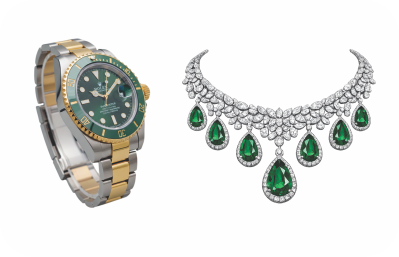
In today's digital age, managing personal assets is crucial. From jewellery to digital licenses, assets are integral to our lives. However, as the number of assets increases, tracking them becomes challenging.

Traditional methods like spreadsheets are outdated. A solution is needed to track assets comprehensively, including details like images, invoices, warranties, and reminders, in a secure digital archive.

Meet

Simple

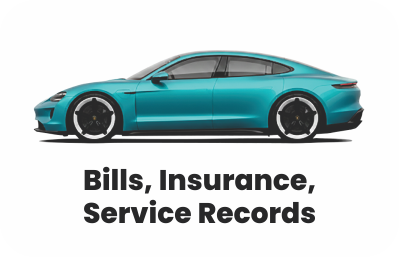
Manage all your assets with ease. Simply store bills, warranties, and documents in one place. No more clutter, confusion, or endless searching. Everything is neatly organized and accessible anytime.

Customizable

Add custom fields, tags, and reminders to suit your needs. Be it your jewellery receipts, property papers, or business invoices, personalize the app to fit your personal and professional lifestyle.

Trusted

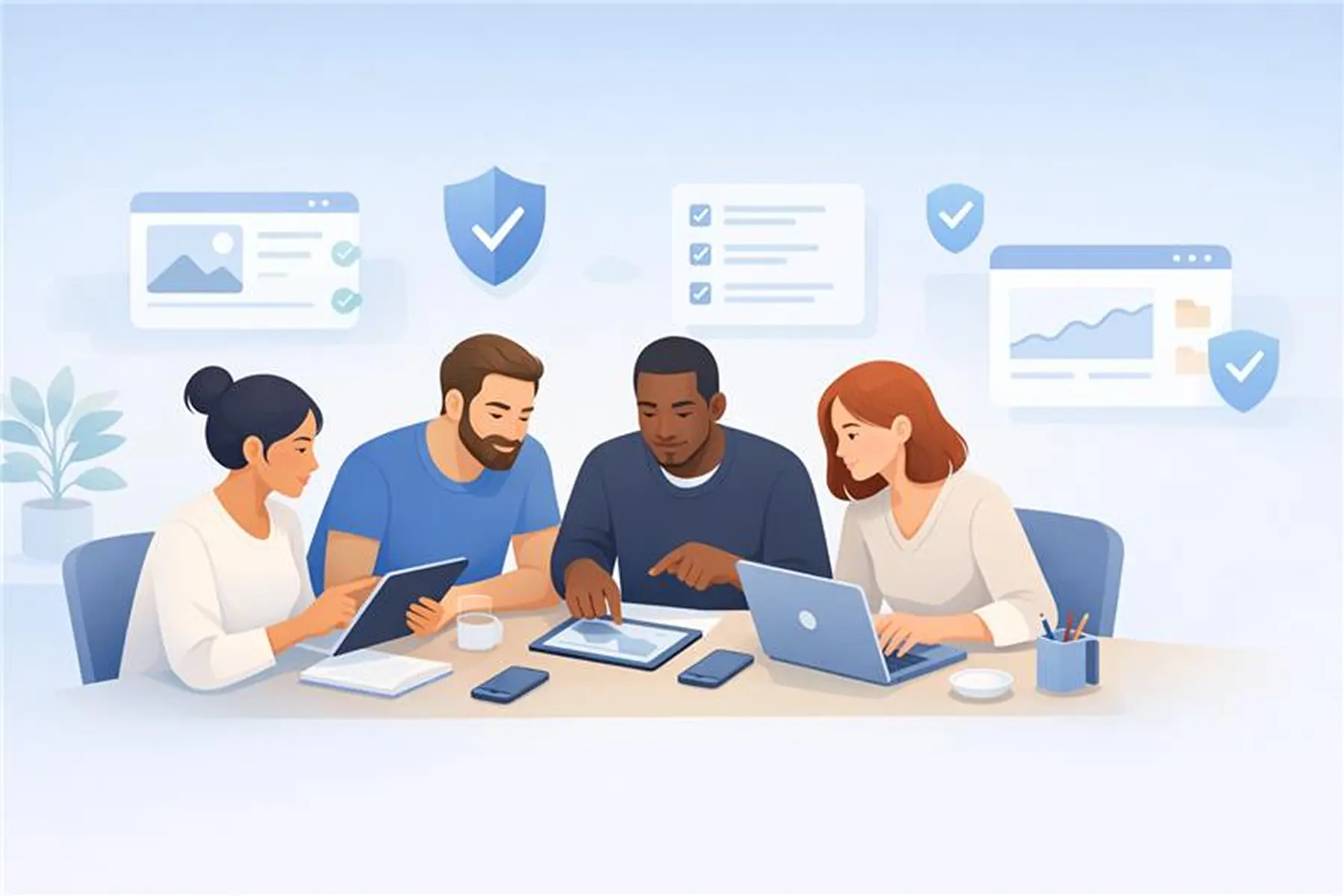
Your data stays safe with end-to-end encryption and strict privacy measures. Share only what you choose, with complete control. We give you the confidence that your assets are always protected.

Feature Highlights of D'kluteř

icon
Quicker Asset Addition with AI
icon
Custom Fields with Smart Suggestions & Secure Inputs
icon
Complete Asset Lifecycle Management with Reminders, Transactions & Logs
icon
Subscription Across Multiple Devices & Platforms
icon
Enhanced Manipulation of Asset Attachments
icon
New Information Tab for Asset Attachments
icon
Advanced Search Now Includes Reminders and Transactions
icon
Secure View-Only Asset Information Sharing
icon
Secure Vault with Flexible Data Backup
ai-assets
New

Quicker Asset Addition with AI

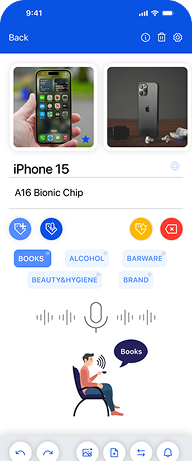
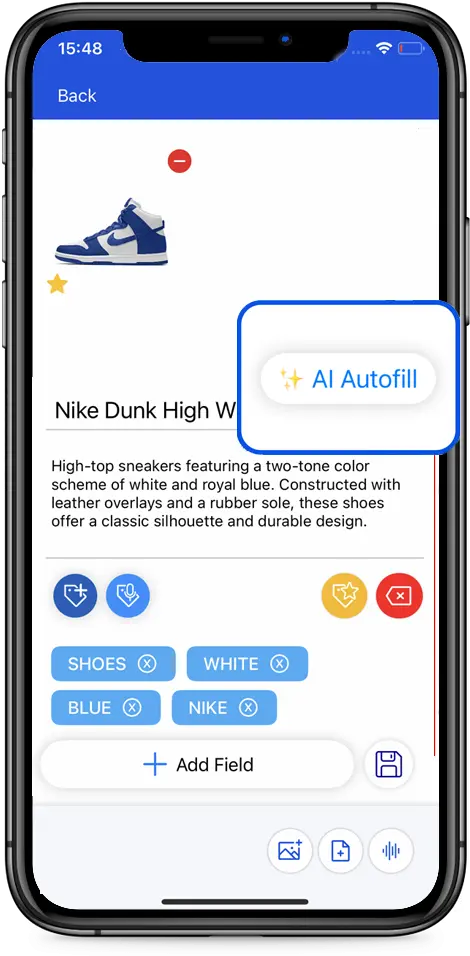
Our personal asset management app now lets you add assets with the help of AI. Simply click a picture of your asset, and AI will automatically identify it, adding a relevant title, description, and tags, so you don’t have to enter everything manually.

Asset creation is now intelligent, smarter, and faster than ever. We’ve redesigned the entire flow to minimize steps and reduce effort, combining intelligent automation with manual control so you can save information in seconds. If you use AI to identify assets from images or add details yourself, simply add assets with or without images based on what you have at the moment.

add field
New

Custom Fields with Smart Suggestions & Secure Inputs

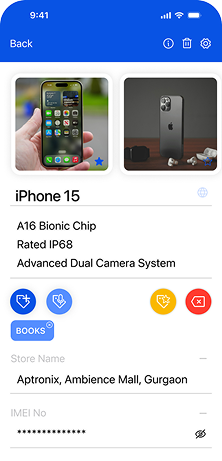
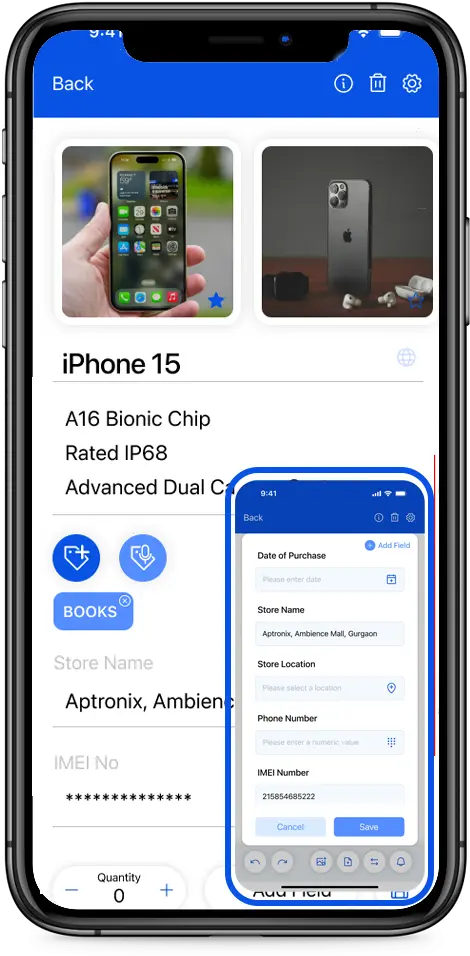
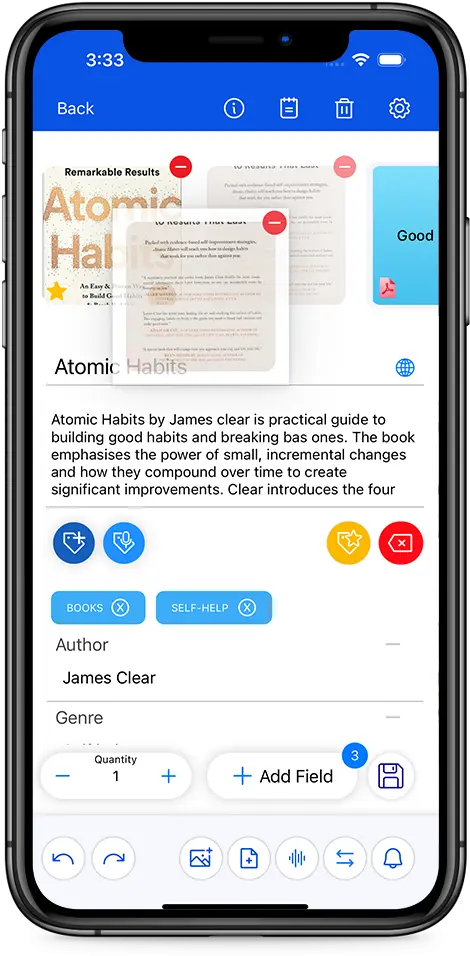
Our personal asset management app now lets you create fully customizable and secure fields for any asset you add. When adding custom fields, you’ll see smart value suggestions to help you fill in information faster, along with the option to use secure (masked) fields for sensitive data. Whether you want to save a note, date, number, or even a location, you can tailor each asset to match exactly what you need.

The best part? You don’t have to recreate fields every time. We’ve built the experience around reusability. Once a custom field is created, you can use it across similar assets whenever you want. Just map your custom fields to a tag, and the moment you apply that tag, all relevant fields will appear automatically. More control, added security, and less effort, exactly how a smart personal asset management app should work.

Lifecycle
Enhanced

Complete Asset Lifecycle Management with Reminders, Transactions & Logs

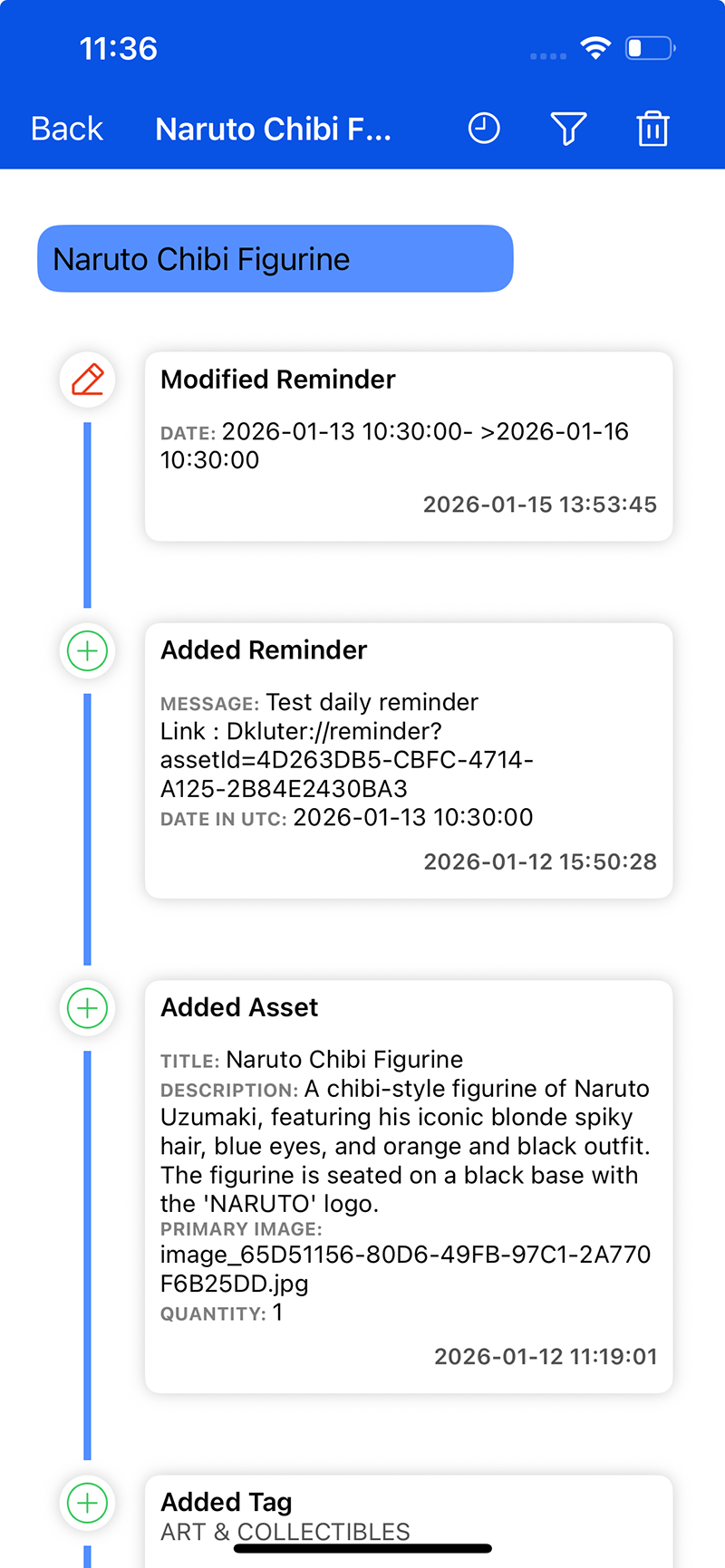
Every asset has a journey, and our asset management app helps you track it from start to finish. With improved readability and a cleaner layout for transactions and logs, it’s now easier to view, understand, and revisit an asset’s complete history at a glance. This flexibility gives you full control over how you document each asset’s journey.

Reminders:

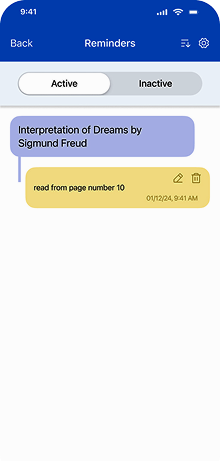
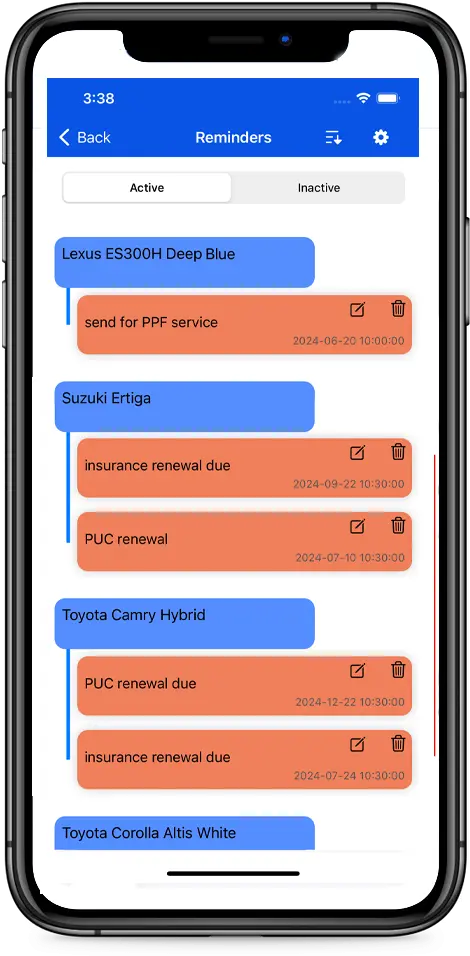
Reminders help you proactively manage anything tied to dates and deadlines. Set reminders for warranty expirations, subscription renewals, periodic servicing, contract deadlines, or follow-ups on items you’ve lent to someone. With support for repeated reminders, you can set them once for recurring needs, such as daily meetings or routine medication, and receive notifications automatically.

Transactions:

Transactions allow you to record everything that happens to an asset over its lifetime. Log purchases, repairs, service updates, damage reports, and expenses, and attach bills or invoices for complete context.

Logs:

With improved readability and a cleaner layout for transactions and logs, you can now easily view, understand, and revisit an asset’s complete history at a glance. This clear, structured timeline gives you full visibility and control over how each asset changes over time.


subscription
New

Subscription Across Multiple Devices & Platforms

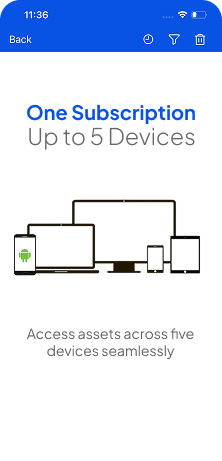
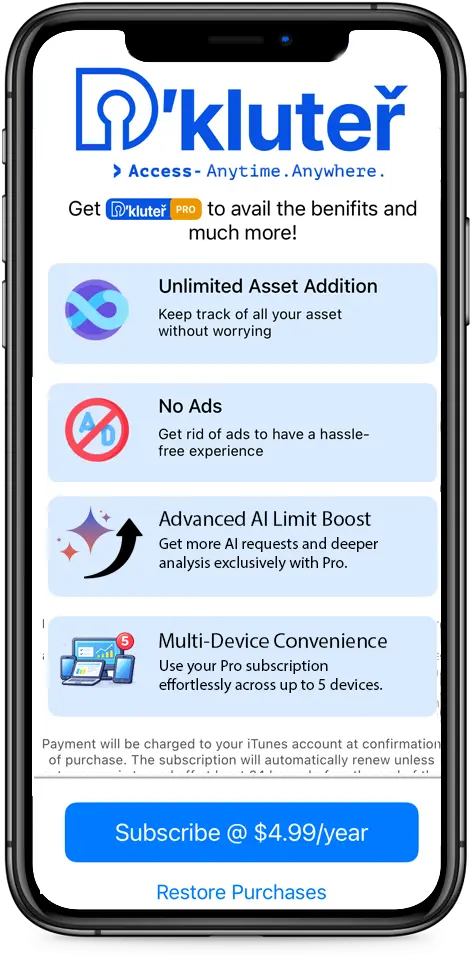
Enjoy uninterrupted access to your assets wherever you go. With multi-device subscription support, a single subscription can now be used across up to 5 devices, giving you the freedom to manage your assets without limits.

Whether you’re switching phones, using multiple devices, or accessing your data on the go, everything stays perfectly in sync. The subscription works seamlessly across both Android and iOS platforms, ensuring a consistent experience no matter which device you’re using.

manipulation

Enhanced Manipulation of Asset Attachments

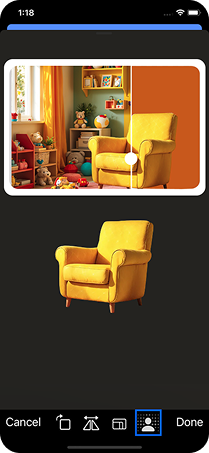
Managing attachments inside your personal asset management app just got a major upgrade. You can now reorder images with simple drag-and-drop controls, rename files directly within the app, and organize every document exactly the way you want. This update brings smoother tools for adding, editing, and structuring your asset-related attachments. Even if it’s bills, warranties, certificates, or photos, everything stays neatly arranged and instantly accessible. After saving your assets, you also get access to advanced editing options like background removal and more.

information

New Information Tab for Asset Attachments

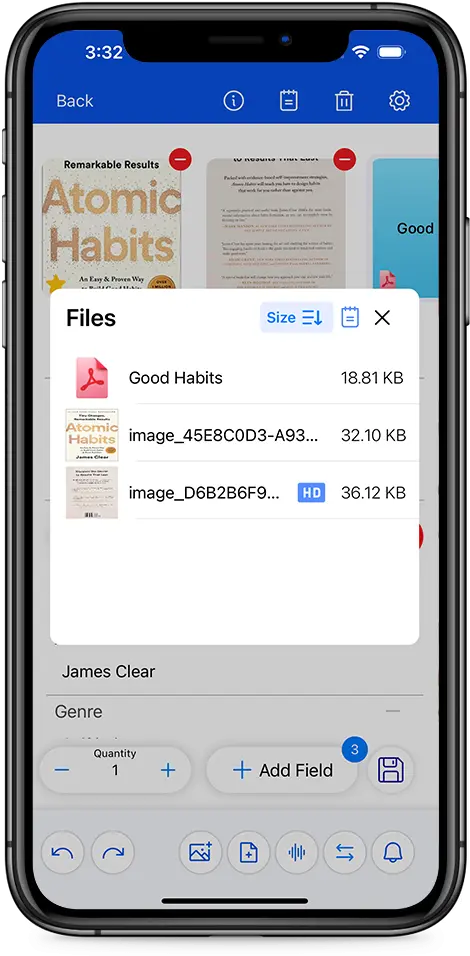
Our asset management app now includes a dedicated Information tab for attachments, giving you instant access to detailed data linked to each asset. This new section summarizes all documents connected to an item and includes audit logs for better transparency. It simplifies tracking, reviewing, and managing every attachment associated with your assets, all in one organized place inside D'kluteř.

search

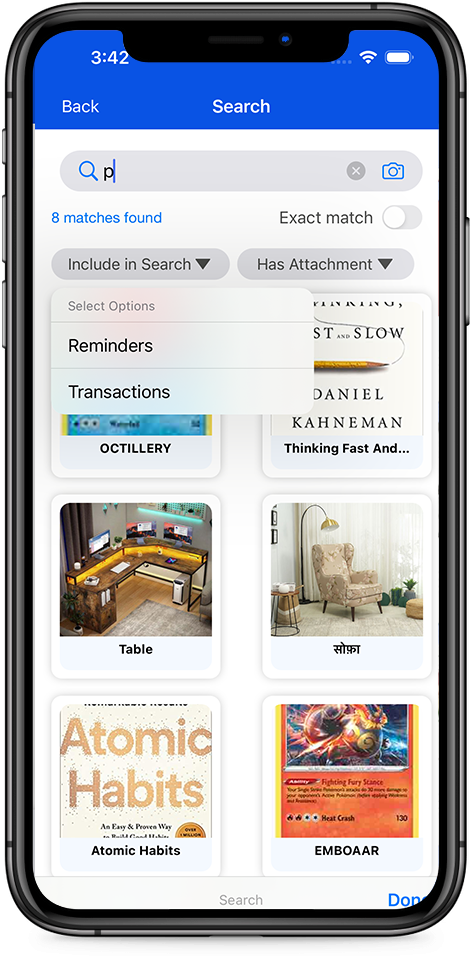
Advanced Search Now Includes Reminders and Transactions

Search is now more powerful and flexible than ever. The updated advanced search lets you locate reminders, transactions, and asset-specific events directly within the app. You can even filter assets based on the presence or absence of certain attachment types. This expanded search capability ensures you find exactly what you need, with greater speed and precision, a must-have for any modern asset management app.

secure

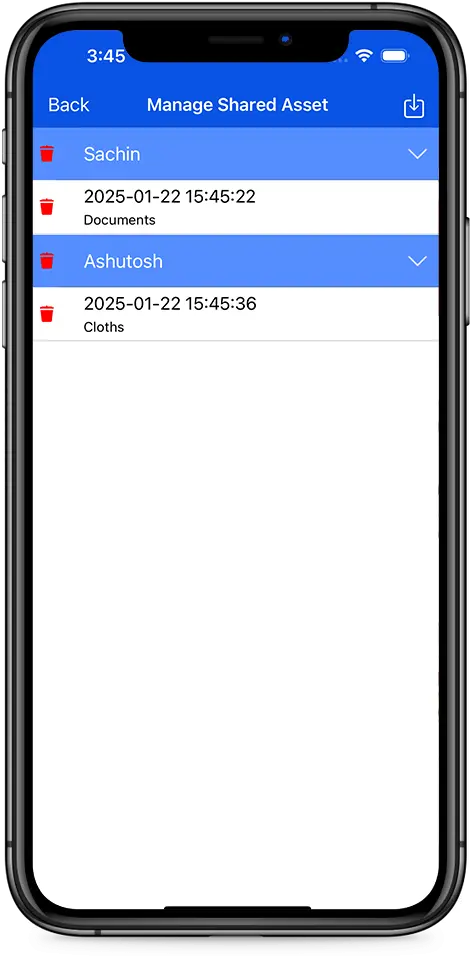
Secure View-Only Asset Information Sharing

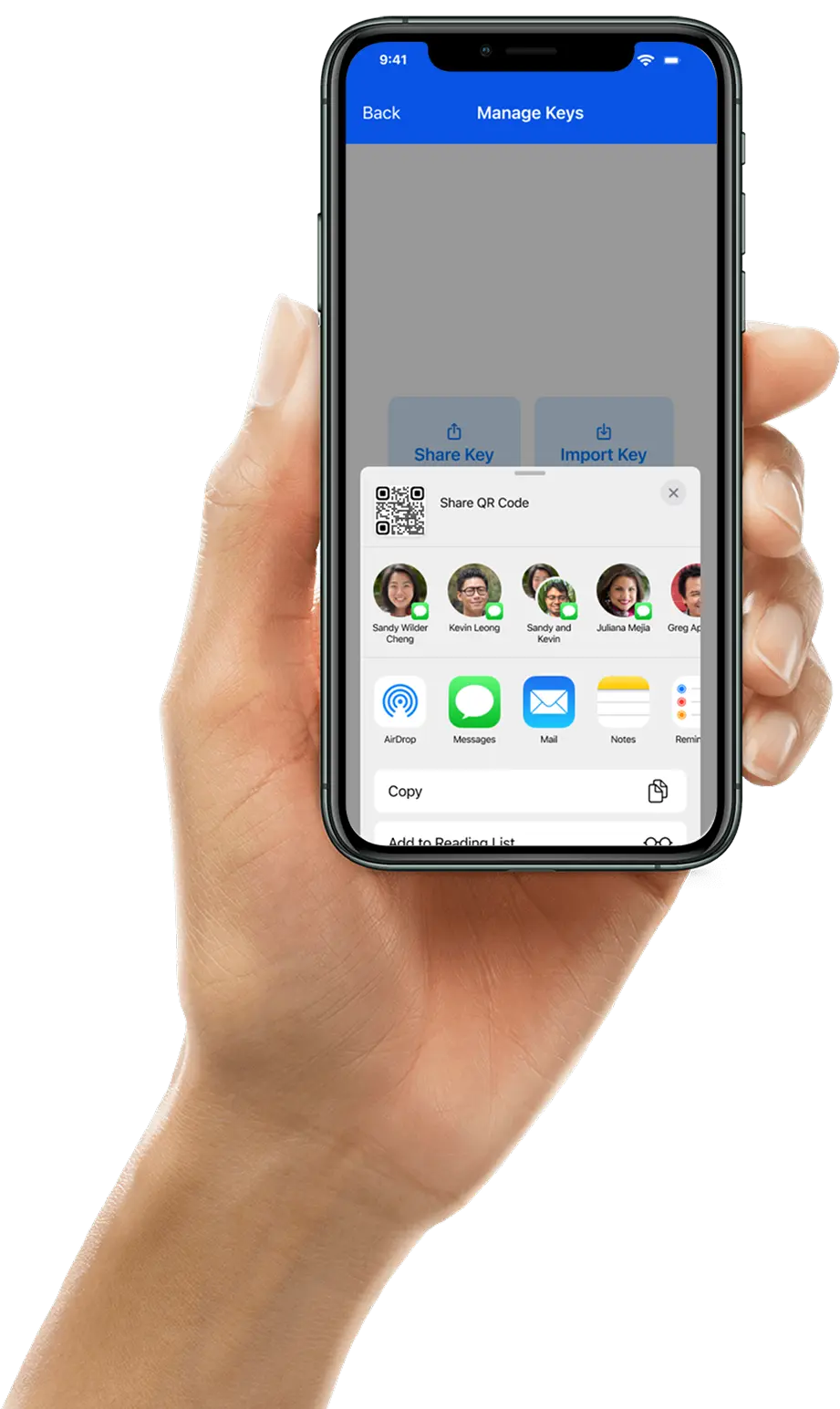
You can now securely share your asset information with other D'kluteř users in a view-only mode. This ensures your data stays protected and unaltered while still giving collaborators, family members, or teammates the access they need. With controlled sharing and strict view-only permissions, your asset details remain safe while still being conveniently accessible

data backup

Secure Vault with Flexible Data Backup

Data security is at the heart of our asset management app. Your information stays encrypted, protected, and safely stored within your device environment.

Choose the backup style that suits you best:

Manual Cloud Backup: Save encrypted data directly to your personal iCloud or Google Drive. Decide how many backup versions you want to keep and restore them whenever necessary

System Backup: Let your device handle automated backups. Your data is preserved up to the most recent system backup—ideal in cases of device loss or damage.

Whichever method you choose, your data remains fully protected, private, and securely backed up.

ai-assets
New

Quicker Asset Addition with AI

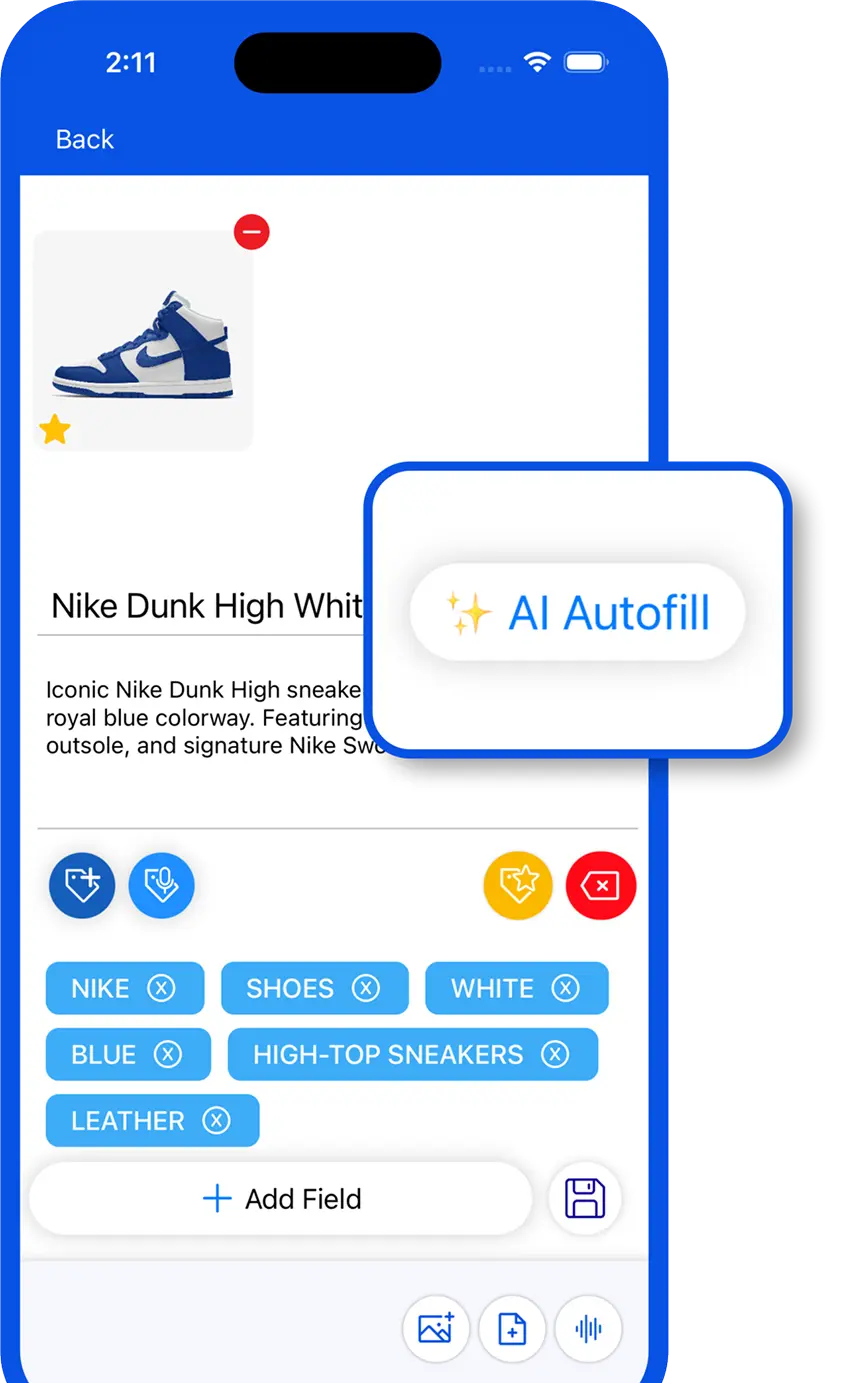
Our personal asset management app now lets you add assets with the help of AI. Simply click a picture of your asset, and AI will automatically identify it, adding a relevant title, description, and tags, so you don’t have to enter everything manually.

Asset creation is now intelligent, smarter, and faster than ever. We’ve redesigned the entire flow to minimize steps and reduce effort, combining intelligent automation with manual control so you can save information in seconds. If you use AI to identify assets from images or add details yourself, simply add assets with or without images based on what you have at the moment.

add-field
New

Custom Fields with Smart Suggestions & Secure Inputs

Our personal asset management app now lets you create fully customizable and secure fields for any asset you add. When adding custom fields, you’ll see smart value suggestions to help you fill in information faster, along with the option to use secure (masked) fields for sensitive data. Whether you want to save a note, date, number, or even a location, you can tailor each asset to match exactly what you need.

The best part? You don’t have to recreate fields every time. We’ve built the experience around reusability. Once a custom field is created, you can use it across similar assets whenever you want. Just map your custom fields to a tag, and the moment you apply that tag, all relevant fields will appear automatically. More control, added security, and less effort, exactly how a smart personal asset management app should work.

Lifecycle
Enhanced

Complete Asset Lifecycle Management with Reminders, Transactions & Logs

Every asset has a journey, and our asset management app helps you track it from start to finish. With improved readability and a cleaner layout for transactions and logs, it’s now easier to view, understand, and revisit an asset’s complete history at a glance. This flexibility gives you full control over how you document each asset’s journey.

Reminders:

Reminders help you proactively manage anything tied to dates and deadlines. Set reminders for warranty expirations, subscription renewals, periodic servicing, contract deadlines, or follow-ups on items you’ve lent to someone. With support for repeated reminders, you can set them once for recurring needs, such as daily meetings or routine medication, and receive notifications automatically.

Transactions:

Transactions allow you to record everything that happens to an asset over its lifetime. Log purchases, repairs, service updates, damage reports, and expenses, and attach bills or invoices for complete context.

Logs:

With improved readability and a cleaner layout for transactions and logs, you can now easily view, understand, and revisit an asset’s complete history at a glance. This clear, structured timeline gives you full visibility and control over how each asset changes over time.
subscription
New

Subscription Across Multiple Devices & Platforms

Enjoy uninterrupted access to your assets wherever you go. With multi-device subscription support, a single subscription can now be used across up to 5 devices, giving you the freedom to manage your assets without limits.

Whether you’re switching phones, using multiple devices, or accessing your data on the go, everything stays perfectly in sync. The subscription works seamlessly across both Android and iOS platforms, ensuring a consistent experience no matter which device you’re using.

manipulation

Enhanced Manipulation of Asset Attachments

Managing attachments inside your personal asset management app just got a major upgrade. You can now reorder images with simple drag-and-drop controls, rename files directly within the app, and organize every document exactly the way you want. This update brings smoother tools for adding, editing, and structuring your asset-related attachments. Even if it’s bills, warranties, certificates, or photos, everything stays neatly arranged and instantly accessible. After saving your assets, you also get access to advanced editing options like background removal and more.
information

New Information Tab for Asset Attachments

Our asset management app now includes a dedicated Information tab for attachments, giving you instant access to detailed data linked to each asset. This new section summarizes all documents connected to an item and includes audit logs for better transparency. It simplifies tracking, reviewing, and managing every attachment associated with your assets, all in one organized place inside D'kluteř.

search

Advanced Search Now Includes Reminders and Transactions

Search is now more powerful and flexible than ever. The updated advanced search lets you locate reminders, transactions, and asset-specific events directly within the app. You can even filter assets based on the presence or absence of certain attachment types. This expanded search capability ensures you find exactly what you need, with greater speed and precision, a must-have for any modern asset management app.

secure view

Secure View-Only Asset Information Sharing

You can now securely share your asset information with other D'kluteř users in a view-only mode. This ensures your data stays protected and unaltered while still giving collaborators, family members, or teammates the access they need. With controlled sharing and strict view-only permissions, your asset details remain safe while still being conveniently accessible

data backup

Secure Vault with Flexible Data Backup

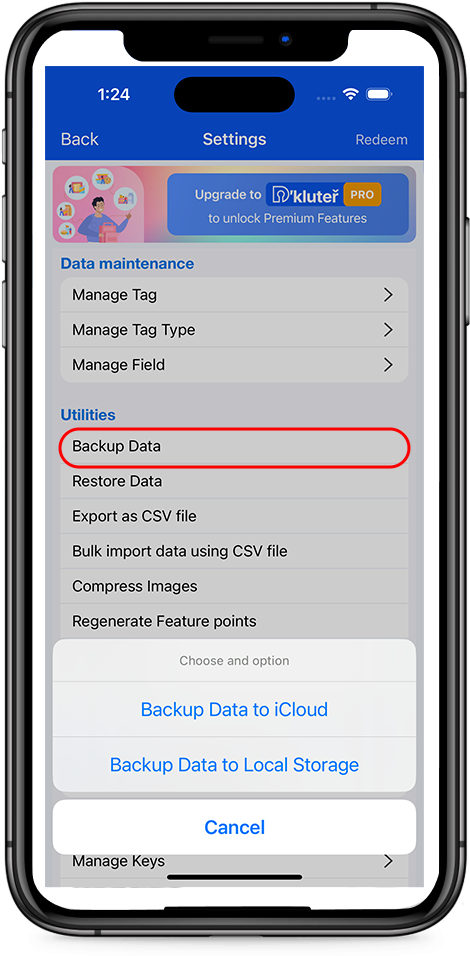
Data security is at the heart of our asset management app. Your information stays encrypted, protected, and safely stored within your device environment.

Choose the backup style that suits you best:

Manual Cloud Backup: Save encrypted data directly to your personal iCloud or Google Drive. Decide how many backup versions you want to keep and restore them whenever necessary

System Backup: Let your device handle automated backups. Your data is preserved up to the most recent system backup—ideal in cases of device loss or damage.

Whichever method you choose, your data remains fully protected, private, and securely backed up.

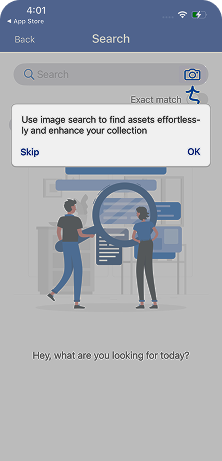
Instant Asset Discovery with AI-Powered Search

Finding your assets shouldn’t feel like a chore—and with our - asset management app, it doesn’t. Searching, navigating, and exploring your asset library becomes quick, accurate, and surprisingly enjoyable.

Our AI-powered search offers three powerful ways to locate anything instantly:

  • text search

    Text Search

    Search through titles, descriptions, or related text to quickly find the asset you need

  • visuals

    Visual Search

    Upload an image to discover identical or visually similar assets already stored in your database—perfect for items that look alike

  • filters

    Smart Filters

    Refine your results using multiple tag-based criteria, or explore recently added, updated, or modified assets. You can even dive into audit logs for deeper insights into changes made over time

This level of discovery turns your asset collection into something truly effortless to manage.

ai mobile

D'kluteř Users Across Everyday Life

team

A Note from the D'kluteř Team

“Dkluter was built from problems we face ourselves every day. That’s why we focused on keeping it simple, private, and reliable, so that managing your assets feels clear, easy, and one-tap ready.”

Frequently Asked Questions

No, a Tag Value is unique across all Tag Types, and cannot be the same for two different Tag Types

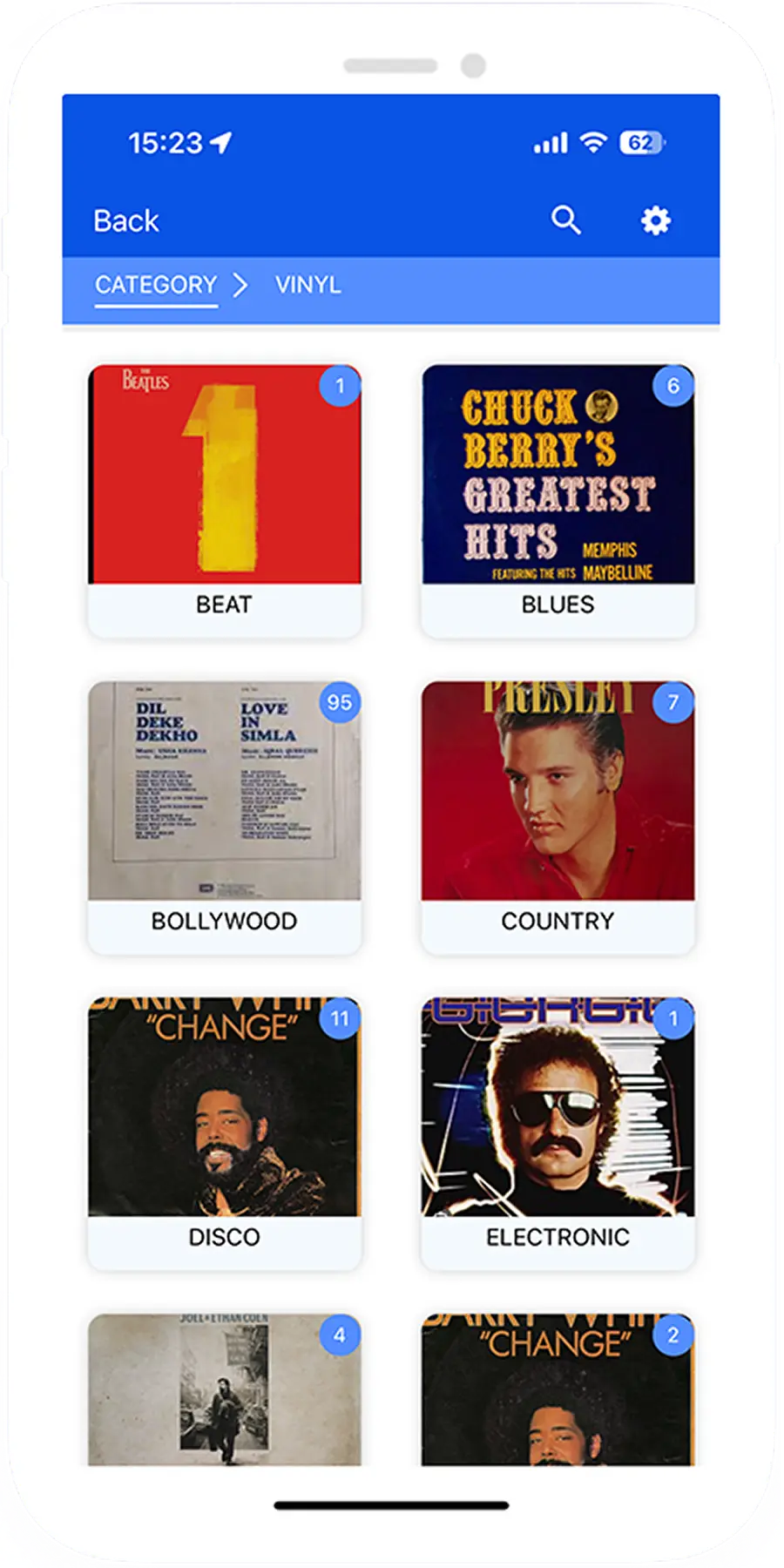
Category is the only mandatory Tag type, and an asset MUST have at least one Tag Value from the Category Tag Type.

Yes, a Tag Value and Tag Type can have the same value. This is how we define a hierarchical relationship between two Tag Values. ( see the FAQ on Hierarchical relationship between Tag Values to better understand this)

Reminders are used to remind you of a specific future event related to that asset e.g. renewals, periodic service/ repair, return of borrowed assets etc. The purpose is not limited to the examples cited, and its left to the users need and imagination. And yes, there is no limit on number of reminders for an asset.

RThere is no limit on number of Tag Values a single asset can have nor the number of assets that can have the same Tag Value.

The encrypted Backup is stored in the D'kluter directory within your iCloud (or Google Drive) storage. Only those having access to your iCloud can access this backup, and would still need the Database password to decrypt the data.
download hand

Download Resources

This section has useful resources to help you in usage of the app.

CSV file with suggestive/ sample Tag Types and Tag Values - - You can - download this file and edit whatever Tag Types and Values are relevant to you and even add additonal Tag Values. You can then upload this file to the app to start adding Assets and associate these Tags

Icon Guide - a quick ready reckoner - to help you understand the functionality of all the Icons on the various screens of the App